Credential-aware
Organized provider information
Built for locations
ASC, hospital, and office workflows
Less chasing
Notifications keep everyone aligned
For anesthesiologists and CRNAs
Find work that fits the way you practice.
Create a free profile, keep your availability current, and browse qualified opportunities from locations seeking independent anesthesia coverage. Every location approved to post shifts on Staffanes has accepted and guarantees contractor payment no later than Net 15 after an approved timesheet. If a location fails to pay on time, Staffanes will assist you with recovery of the pay due.
- Choose between 8-hour guaranteed and 4-hour half-day shifts.
- Review location expectations, credentialing instructions, and documents before you accept.
- Receive relevant shift alerts by email and SMS based on your preferences.
- Keep your profile, specialty, availability, credentials, and W-9 information organized.
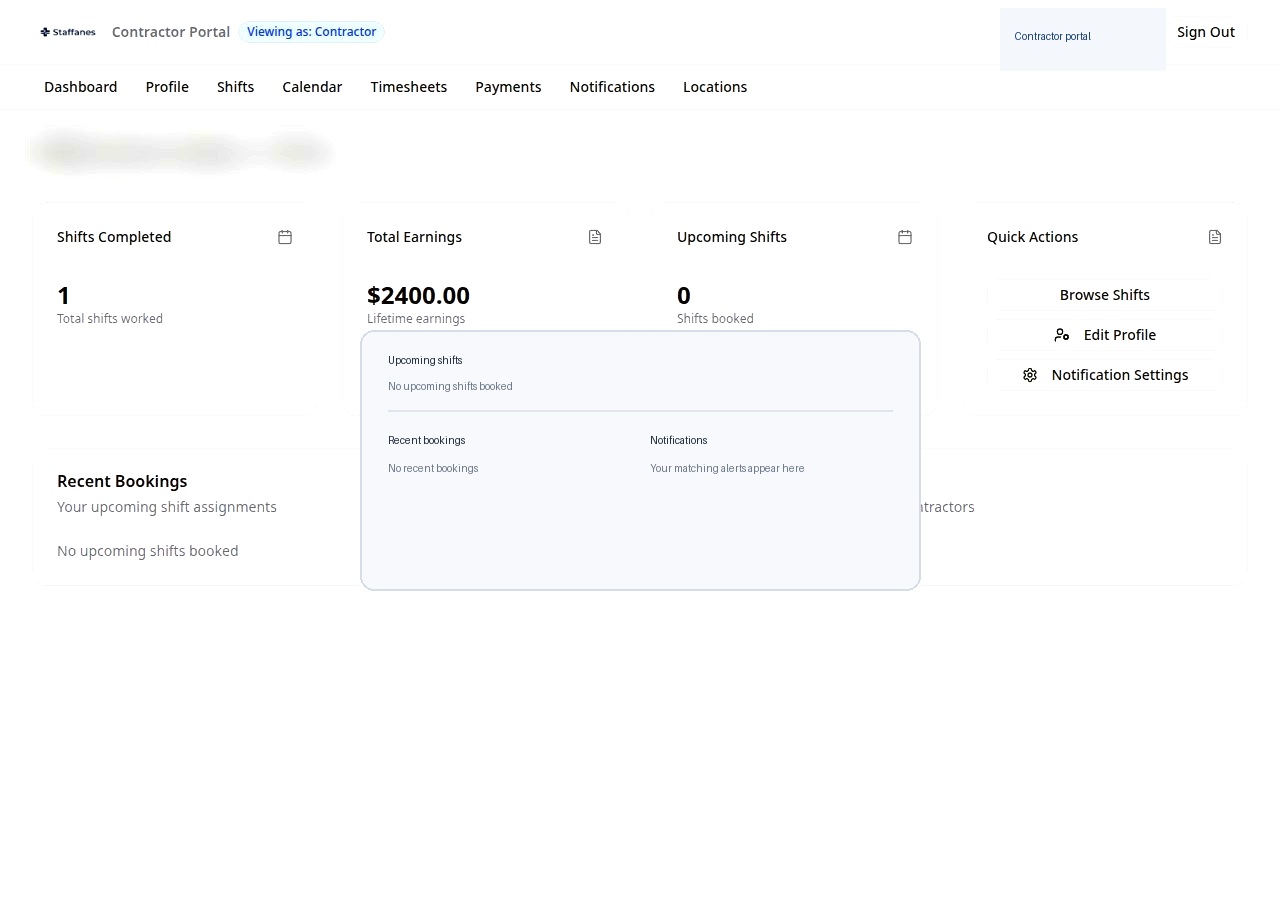
- Submit timesheets, follow approvals, and track your payment status from your contractor portal.
Post coverage
Publish the date, shift type, case details, provider type, and rate.
Reach qualified providers
The platform notifies contractors who match the shift requirements.
Confirm coverage
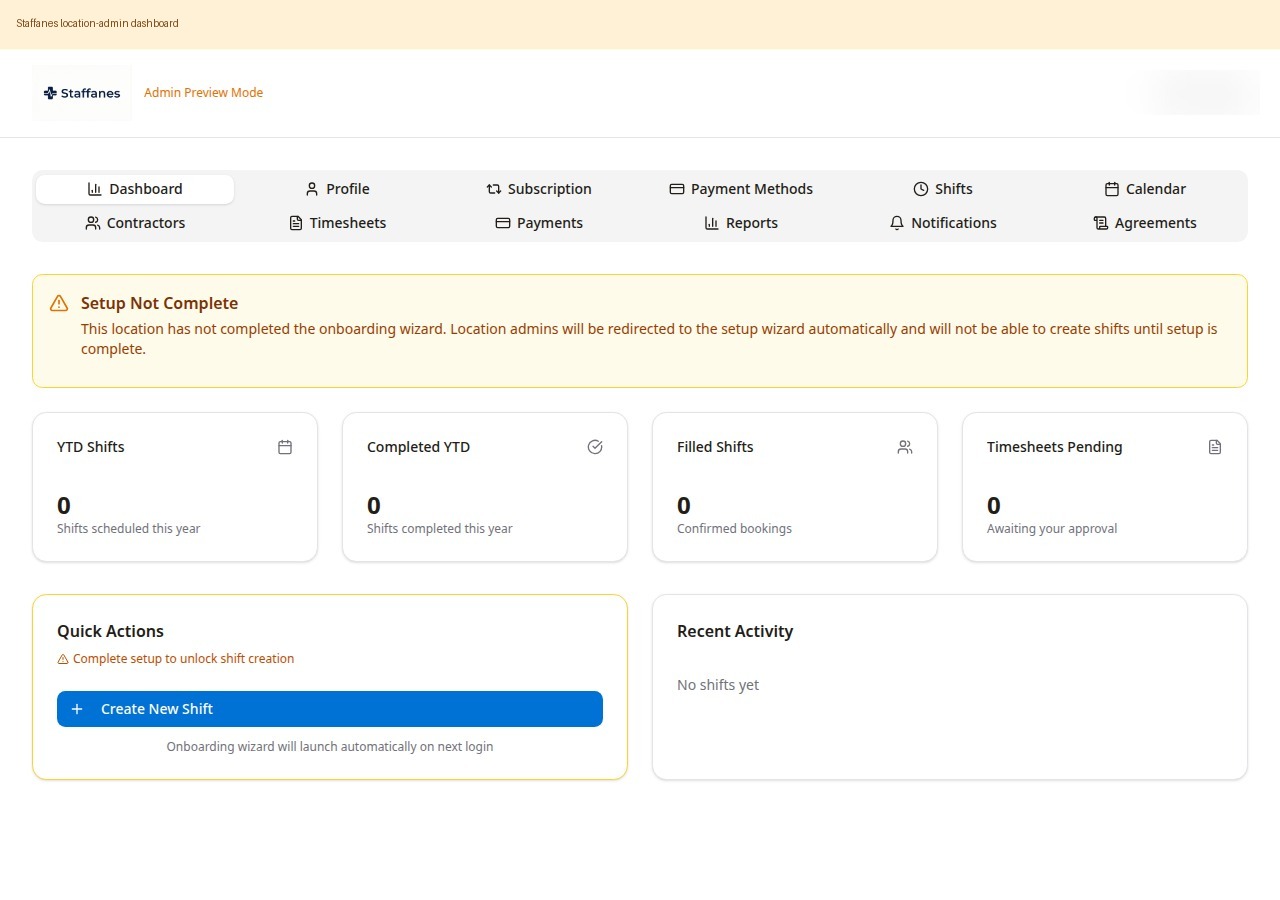
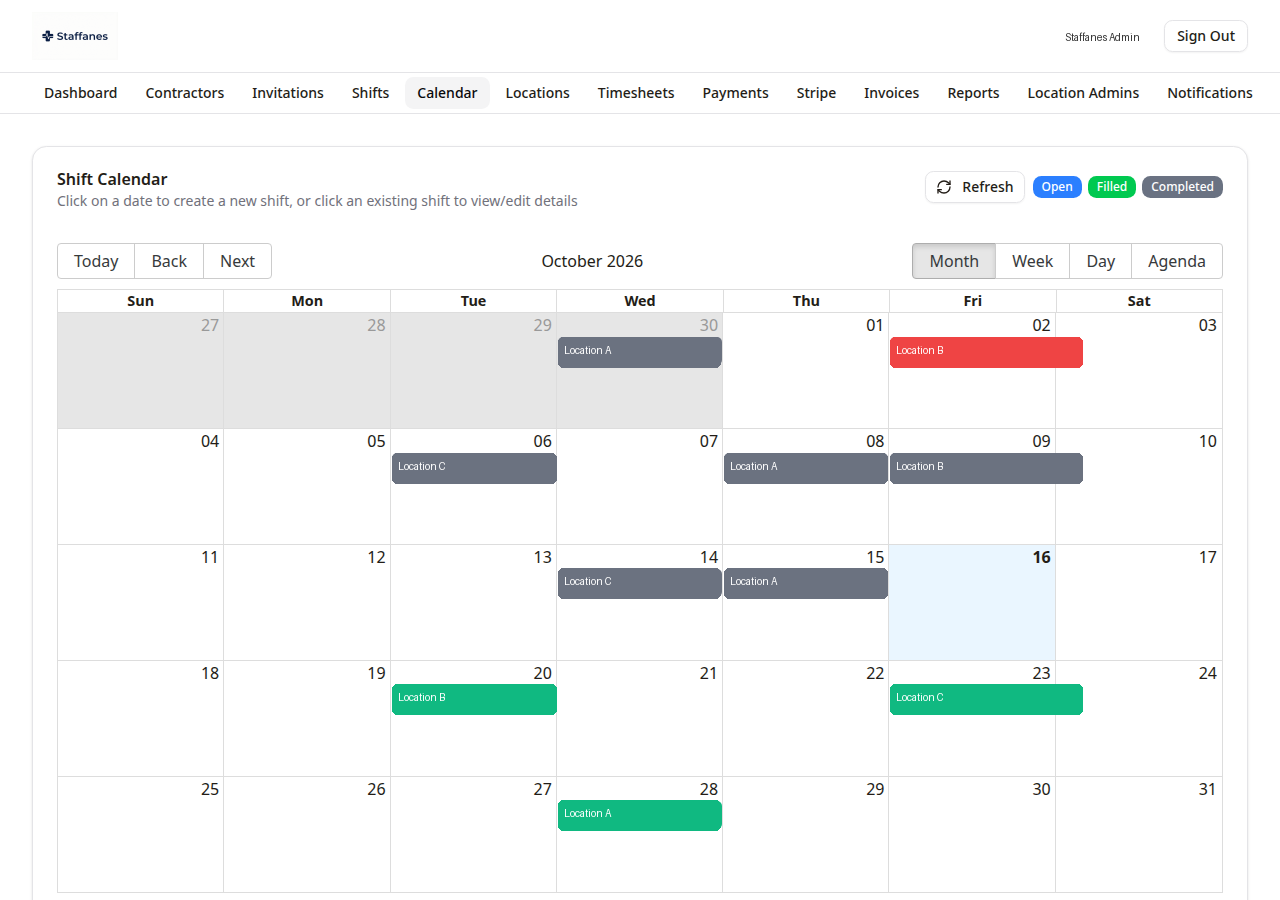
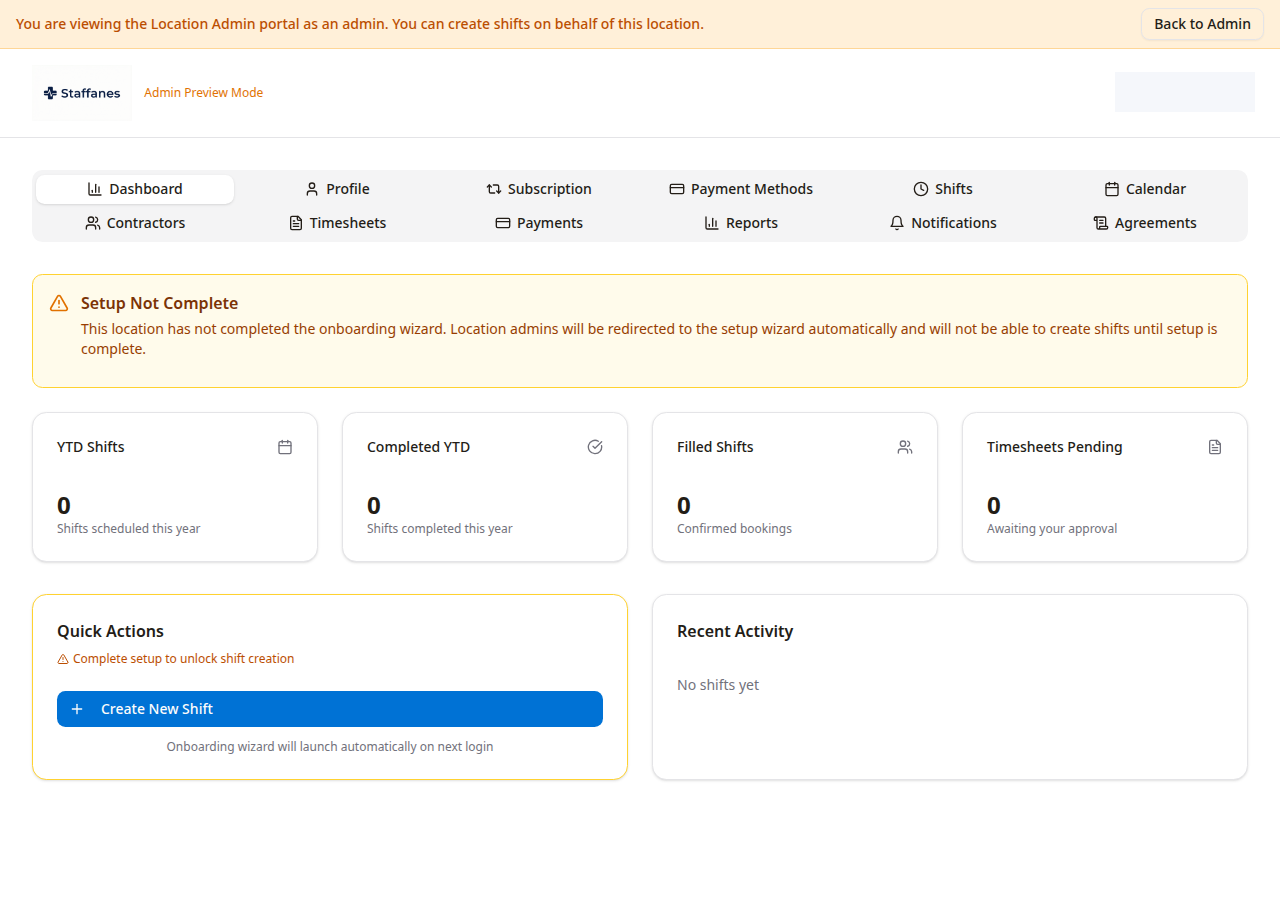
Track open, filled, and completed work from your dashboard.
Stay audit-ready
Keep timesheets, payment activity, and location information together.
For anesthesia locations
Source coverage without the coverage chase.
Staffanes gives location administrators a focused way to post and manage cases, share important site information, and see when qualified independent providers are confirmed. Shift details, notifications, timesheets, payments, and agreements stay connected in the same workspace. Let us take the stress of finding coverage off your plate.
Tell us about your facility, expected volume, and coverage needs. We will follow up with access and next steps.
A platform for the full coverage cycle
From the first posting to the final timesheet.
Staffanes connects every step of anesthesia coverage in one focused workflow. Location administrators publish the date, shift requirements, case details, and rate; qualified contractors receive the opportunity, review the location information, and accept the work that fits. Everyone can then follow the booking, timesheet, payment, and completion steps with clearer communication and less administrative follow-up.
For independent providers
Work on your schedule.
Create a profile, manage availability, receive matching alerts, review location expectations and credentialing instructions, accept work, and follow your schedule and payment status.
- MD and CRNA opportunities
- 8-hour and 4-hour guaranteed shifts
- Email and SMS alerts
- Timesheets and payment visibility
For locations
Post once. Move forward.
Choose the provider type, shift format, date, case details, expected duration, and compensation. Qualified independent providers are notified based on the posting requirements.
- ASCs and hospitals
- Private surgical offices
- Specialty clinics
Coverage when it matters
Flexible support for changing demand.
Use the platform for planned vacation coverage, last-minute illness or schedule changes, temporary increases in case volume, and flexing schedules without agency-style coverage chasing or paying full-time staff.
Discuss your coverage needsLet’s talk coverage
Tell us what your site needs.
Share a few details about your location and coverage goals. Your inquiry will be emailed directly to cgftcb@staffanes.com so we can return your call and explain how Staffanes can help.
What happens next
We review your coverage needs, contact you at the preferred time, and discuss the platform workflow, access, and next steps for your facility.
See the real interface
A closer look at the staffing workspace.
Explore representative Staffanes screens for the moments that matter most: planning coverage on the calendar, managing posted shifts, and keeping timesheet approvals moving.
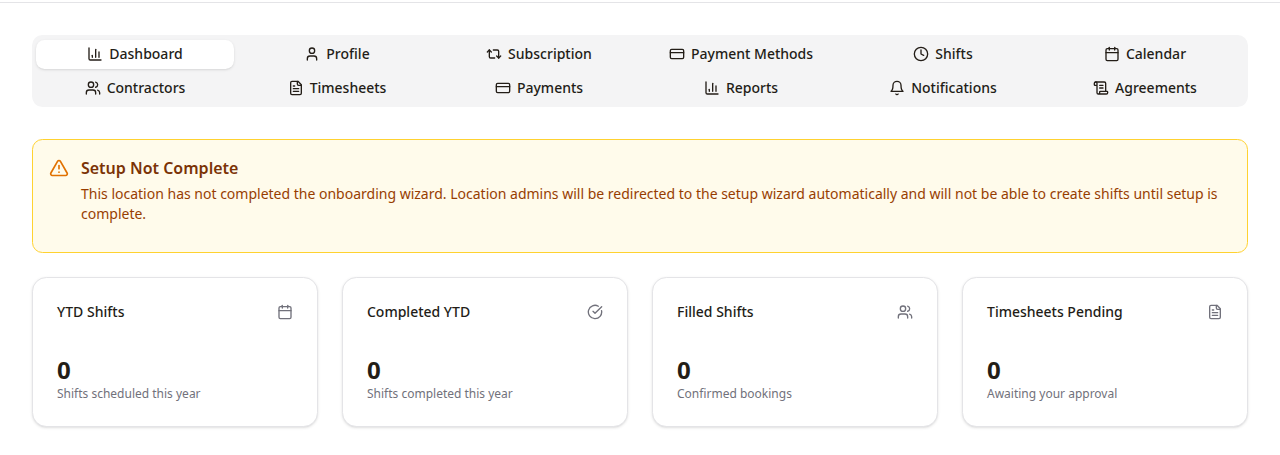
Getting started to completion
Two clear paths through the platform.
The workflow is different for a contractor and a location administrator, but both paths stay connected from account setup through confirmed coverage, timesheets, and payment tracking.
Contractor workflow
Provider path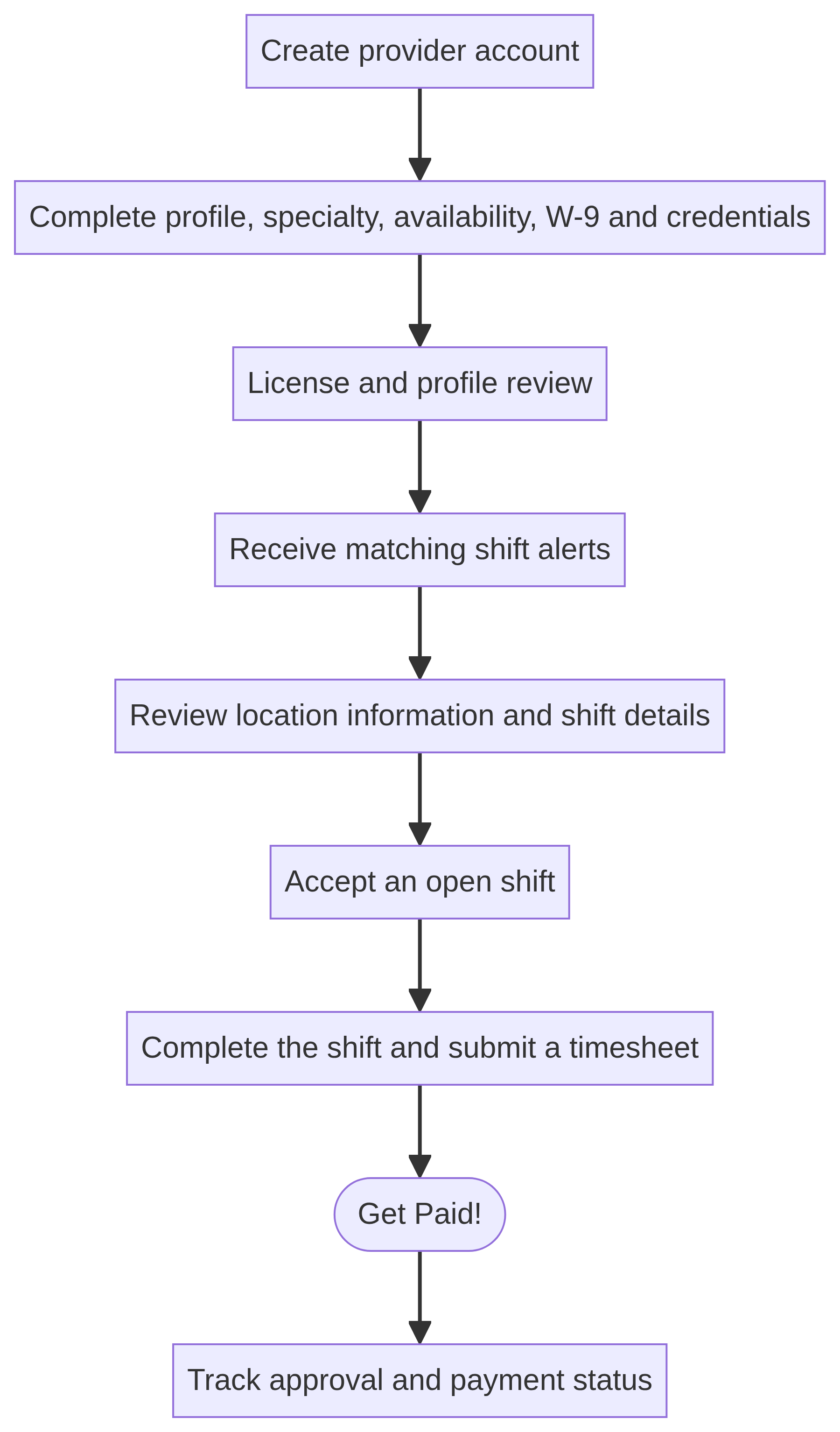
Location-admin workflow
Location path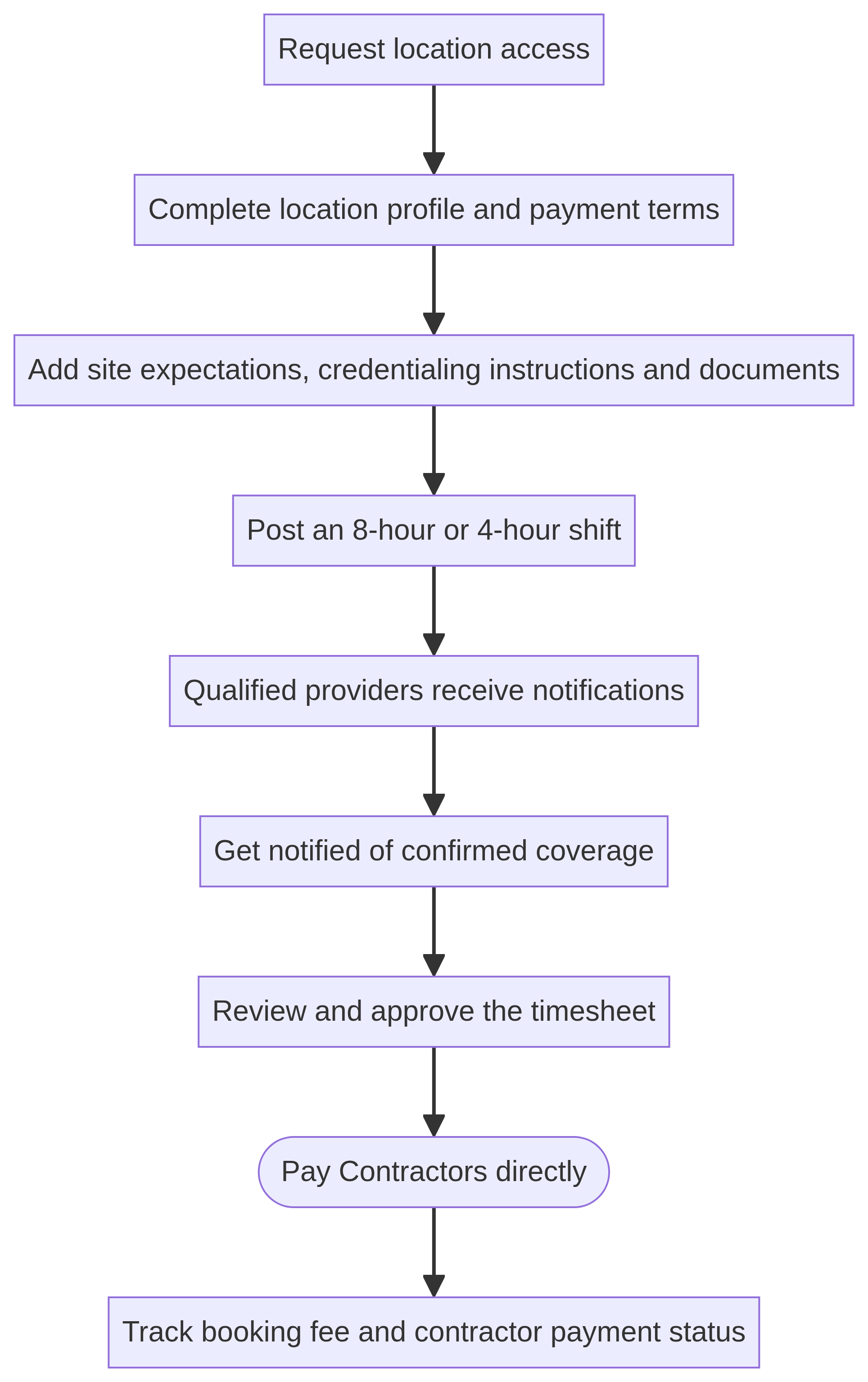
Frequently asked questions
How the staffing app works.
Answers for providers, location administrators, and anesthesia groups evaluating Staffanes.
Who is Staffanes for?+
Staffanes connects independent MD anesthesiologists and CRNAs with anesthesia locations that need coverage, including ambulatory surgery centers, hospitals, clinics, and private surgical offices. It also gives anesthesia group owners tools to coordinate providers and multiple locations.
Is it free for contractors to create a profile?+
Yes. Contractors can create a provider profile at no cost, complete their specialty, availability, credentials, W-9, and notification preferences, then review matching shifts as they become available.
How do contractors find and accept shifts?+
Once a provider profile is active and eligible, matching open shifts can be viewed in the contractor portal and may generate email or SMS alerts based on the provider’s preferences. Providers review the location and shift details, then accept an open shift that fits their schedule. Booking is first-come, first-served.
How does a location post a shift?+
Location administrators choose an 8-hour full-day or 4-hour half-day shift, select the needed provider type, enter the expected case load, expected duration, and compensation, then post the opportunity. Qualified providers receive notifications when they match the shift requirements and have enabled the relevant notification settings.
What happens when a provider accepts at a location for the first time?+
Staffanes presents a guided location-specific information sequence covering what to expect, credentialing instructions, additional notes, available documents, and payment expectations. The information remains available in the location area after the first review.
How are credentials and license status handled?+
Providers maintain their professional information and upload required documentation. Staffanes supports license verification and location-specific credentialing so the provider and site can see what is needed before the scheduled work begins.
How are timesheets and payment tracked?+
After a completed shift, the contractor submits a timesheet for location review. Administrators can approve hours and follow contractor payment, booking-fee, invoice, and Stripe status from the applicable payment and reporting views. Exact payment responsibility and timing depend on the location’s accepted terms.
How do I get paid?+
Every location approved to post shifts on Staffanes must accept and guarantee contractor payment no later than Net 15 after an approved timesheet. Depending on the location’s payment model, payment is either processed through Staffanes or paid directly by the location where you accepted the shift. If an approved location fails to pay on time, contact Staffanes promptly at support@staffanes.com so we can assist with recovery of the pay due under the accepted terms.
What are the fees for use?+
Locations can pay one transparent platform fee per match or subscribe for unlimited monthly matches. The applicable option and subscription terms are explained before access or posting, with any additional same-day shift charges shown in the location’s agreements area.
How do I get a facility approved?+
Use the location inquiry form to provide a contact name, facility name and address, expected case load, days per month, phone number, and a good time for a return call. Staffanes reviews the request and contacts the facility to discuss needs and access.
Ready when you are
Join the anesthesia staffing workflow built for real-world coverage.
Related resource
Learn more about other apps helpful to practicing anesthesiologists.
AneSync offers additional tools and information for anesthesia practices, providers, and 1099 staffing workflows.